Showing posts with label flower. Show all posts

Saturday, 3 May 2014

Paper Rose Template

I has lucky enough to stumble on an amazing blog last month which is full of wonderful craft ideas

Elli is a fabulous shop for invitations and stationary and they also run a blog which is jam packed of tutorials and inspiration

One of my favourite tutorials on her site is paper rose. I have tried plenty of paper flowers in the past but this is by far the simplest and with gorgeous results.

How to make a paper rose

They have already supplied you with easy to use PDF templates to print these out but if lie me and your scissor skills are not up to par then I have creates a Cricut project which will let your machine do all the hard work so all you need to do is put it together

There are 2 layers to this template - one for the petals and one for the leaves, so that you can cut them out of different colour paper/card. The petals layer makes 1 rose but the leaves layer makes 6 so if you are making multiple flowers you only need to cut out one leave layer for every 6 petal layers. I you only want to make one then just delete the spare leaves that you don't need and they won't be cut out. As for how to put this template together - head over to Elli.com for a step by step tutorial that is as simple as peas!
I've made a first attempt with some white card and it turned out not too bad if I do say so myself, so I'm looking forward to trying out some different colours!


and if you are using Cricut Design space then here are the .svg files for you!


Again I would like to give a massive thanks to Elli for the inspiration

I'll be back,


Sunday, 27 April 2014

Cricut Projects


I'm getting into my Cricuting grove and I've made a few projects from the basic shapes to show you guys it's not as hard to make your own as you might think!

Now don't get me wrong, I'm up for buying their digital image packs but only if there are a lot of images in the pack I want - but when there is just that oooooone image you want, is it really worth that £30 price tag!?!? Well maybe if you are mass producing an item but not if you like to do lots of one of items like me.

So here you are you lucky ducks - not only do you not need to buy these images, you also don't need to make them from scratch, best of both worlds. Just download the files by clicking on the links below and then on the download button or arrow

To import them into your Cricut craft room, click on file, then open and you should see an import option at the bottom

I use Cricut Craft Room for my Cricut mini so if you use the same then please click on my large links above the images. However, for those using design space, I've also attempted to make an .svg vector file so you can import it as well, which is the small link below the image. Some of my files would not convert into .svg but I've done my best to support both.

I've worked hard on these images and I'm happy for you guys to use them for personal projects but

PLEASE NO NOT USE THEM FOR COMMERCIAL ITEMS!

Get in contact by emailing me on craftalavista@gmail.com if you would like to use it for a commercial project and we can discuss


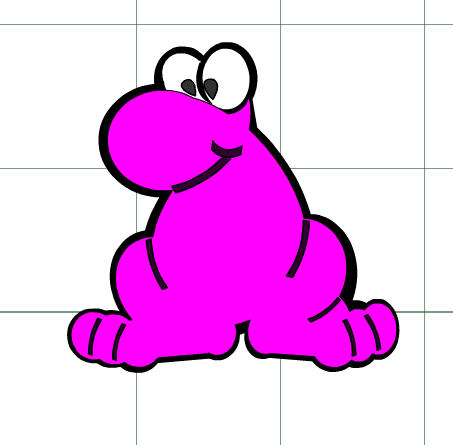
Nerd


Design Space File - nerd.svg


Diamonds

Design Space File -diamond.svg


Pop Up Box Card - Instructions & Templates (.ccr and .svg)


Superhero Face (SVG file ONLY!!!)


Ten Sided Yin Yang Globe


About to Pop Baby Shower Decorations


Cat

I have done this image in layers so that you can cut out on different coloured card


Design Space Files - cat.svg
The .svg file has the same shapes, just in black and white, so you can still put the shapes on different layers to cut out the correct colour


Superhero

I have done this image in layers so that you can cut out on different coloured card


Design Space Files - superhero.svg
The .svg doesn't have the same amount of detail but I think it still looks good in the black and white

Love Birds

Design Space Files - LoveBirds.svg


Penguins Mate for Life

Design Space Files - Penguins.svg 
(the eyes didn't appear on the .svg file but just take two small circles and put them in the eye positions)


Birthday

Design Space Files -birthday.svg


Bicycle

Design Space Files - bicycle.svg


Peacock


Wedding Image

Design Space Files - WeddingCake.svg


Rose


Design Space Files - petals.svg     leaves.svg

Sunday, 18 August 2013

Felt Rose Ring

So I started off this week with a paper rose necklace and I'm ending it with a ring you could accessorize it with, courtesy of angelichigo!

This ring is quick and simple - just like this post :)

check it out peeps!!


Wednesday, 14 August 2013

Bacon and roses

Bacon and roses, not normally two words you see together but this tutorial managed to do just that!

If you're stuck for that perfect romantic meal for your man, then this has to be the starter

Check out Ferochia's fab tutorial and please let me know if you give it a go!


Sunday, 11 August 2013

Paper Rose Necklace & Hair Clip

I was at an amazing wedding last week and I wanted a statement piece to go with my dress, as it was quite plain.

I had previously seen lots of tutorials on paper flowers that I was dying to try out and this seemed like a perfect opportunity so I gave it a shot and it transformed into this beautiful necklace and hair clip.

Thankfully it didn't rain, it's definitely a necklace for warmer climates!

Click on the image to see my first tutorial


About This Blog

About This Blog
A blog for fun and unusual Craft tutorials This year I will be learning a new craft every month - if there is a craft you would like to learn, let me know

Search This Blog

Featured Post Via Labels

Instagram Photo Gallery